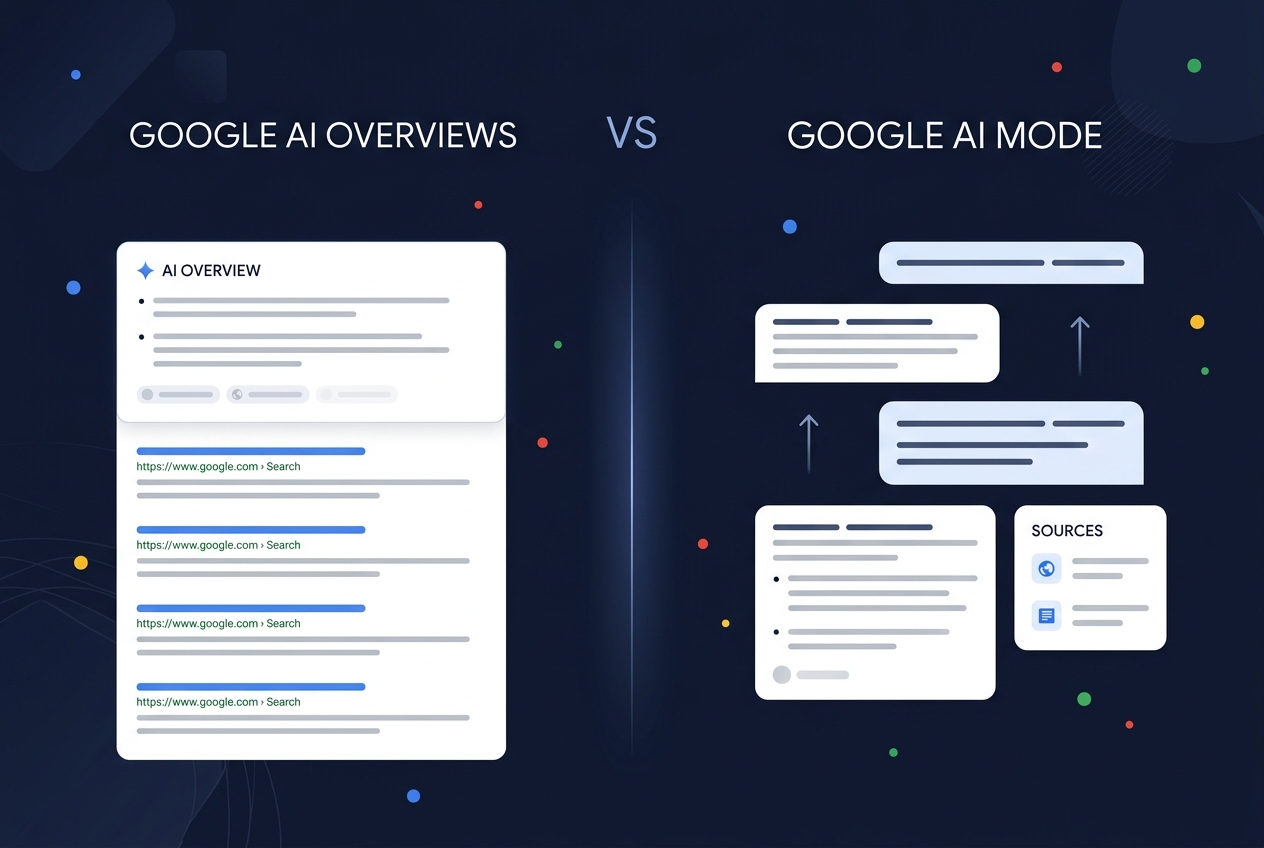
Google AI Mode and Google AI Overviews are both AI search surfaces inside Google Search, but they are not the same channel. AI Overviews are AI-generated summaries that appear inside the normal Google results page when Google decides they add value. AI Mode is a separate conversational search experience where users ask longer, follow-up-heavy, multimodal questions and receive a deeper AI-generated response with supporting links.
For brands, the difference is not cosmetic. It changes what you measure, what content gets cited, and how buyers encounter your competitors.
Google’s own Search Central documentation says AI Overviews and AI Mode may both use query fan-out — issuing multiple related searches across subtopics and data sources — but it also says they may use different models and techniques, so the responses and links they show can vary. Ahrefs later quantified that gap: across hundreds of thousands of query pairs, AI Mode and AI Overviews reached similar conclusions but cited the same URLs only 13.7% of the time.
That means a brand can be visible in Google AI Overviews and still be missing from Google AI Mode — or the other way around.
This guide explains the differences, the current data, and how to track both surfaces separately.
Quick CTA: RankBits tracks both Google AI Mode and Google AI Overviews separately, so you can see whether your brand appears in the summary layer, the conversational layer, or neither. Run a scan →
The Short Answer
Google AI Overviews are AI summaries inside standard Google Search results. Google AI Mode is a separate AI-first search interface for deeper, conversational, multi-step exploration.
| Dimension | Google AI Overviews | Google AI Mode |
|---|---|---|
| Where it appears | Inside the regular Google results page | Separate AI Mode tab / AI-first interface |
| Trigger | Appears when Google decides the AI summary is helpful | User intentionally enters AI Mode or continues from some AI experiences |
| Interaction | Mostly one-shot summary | Conversational, with follow-up questions and retained context |
| Best for | Quick understanding, informational summaries | Research, comparisons, planning, product decisions, multimodal queries |
| Query style | Often standard search queries | Longer, more natural-language, multi-part prompts |
| Source behavior | Supporting links inside/around the overview | Deeper source set, often more citations and entities |
| Brand risk | Users may get the answer without clicking | Users may make decisions without ever seeing classic organic results |
| Measurement need | Track whether you are cited or mentioned in the overview | Track whether you are recommended in the AI conversation |
The easiest way to think about it:
- AI Overview = Google answers inside the SERP.
- AI Mode = Google becomes a research assistant.
What Are Google AI Overviews?
Google AI Overviews are AI-generated summaries shown on the standard Google search results page. They are designed to help users “get to the gist” of a complex topic or question quickly, with links for further exploration.
Google says AI Overviews are shown when its systems determine that they are additive to classic Search. In other words, they are selective, not guaranteed for every query. Google’s documentation also says there are no additional technical requirements to appear in AI Overviews beyond being indexed, eligible for Google Search, and eligible to show a snippet.
How AI Overviews affect visibility
AI Overviews change visibility in three ways:
- They can satisfy the query before the click. Users may read the AI summary and never visit a site.
- They redistribute attention. The cited sources inside the AI answer can receive a visibility halo, while uncited organic results lose attention.
- They are not identical to organic rankings. A page can rank well and still be absent from the AI Overview source set.
Search Engine Land’s coverage of Seer Interactive’s 2026 AI Overview CTR update found that when an AI Overview appears, pages cited in the AI Overview get more clicks than pages on the same results page that are not cited. In that Seer dataset, CTR was roughly:
| Search state | Approx. CTR |
|---|---|
| No AI Overview | ~3.3% |
| AI Overview with citation | ~2.1% |
| AI Overview without citation | ~0.9% |
The conclusion is simple: being cited in the AI answer matters even if total clicks are lower than classic search.
For broader zero-click context, see RankBits’ data roundup: Zero-Click Search Statistics 2026.
What Is Google AI Mode?
Google AI Mode is Google’s AI-first search experience. Google describes it as its “most powerful AI search,” with more advanced reasoning, multimodality, follow-up questions, and helpful links to the web.
Google’s May 2025 announcement explains that AI Mode uses query fan-out: it breaks a user’s question into subtopics and issues multiple queries simultaneously. This lets Search “dive deeper into the web than a traditional search on Google.” Google also announced that AI Mode would be the place where it first brings Gemini’s frontier capabilities, with features like Deep Search, live visual help, agentic tasks, shopping, personal context, and custom charts.
By May 2026, Google said AI Mode had surpassed 1 billion monthly active users globally, and AI Mode queries had more than doubled every quarter since launch. Google also reported that in the U.S.:
- The average AI Mode search is three times longer than a traditional Search query.
- More than one in six AI Mode searches use voice or images.
- Image searches in AI Mode grew over 40% month over month.
- Planning-related AI Mode queries grew 80% faster than overall AI Mode queries over the prior six months.
This is not just “search with a bigger answer box.” It is a different behavior pattern.
How AI Mode affects visibility
AI Mode matters because users can ask the kind of questions that used to require several searches:
- “Which AI visibility tools should a SaaS startup compare before buying?”
- “What are the trade-offs between Profound, Semrush, Ahrefs Brand Radar, and smaller AI visibility trackers?”
- “Build me a shortlist of tools for monitoring ChatGPT, Claude, Gemini, and Google AI citations.”
- “What should I check if Google AI Mode recommends my competitor but not my brand?”
Those are not keyword-style queries. They are decision workflows.
If your brand is absent from AI Mode, you may be absent from the buyer’s research process before they ever reach your website.
The Most Important Difference: Triggered Summary vs Intentional AI Session
AI Overviews and AI Mode differ first by user intent.
AI Overviews appear inside normal Google Search. The user may not be deliberately using an AI assistant. They typed a query, Google showed an AI summary, and the AI response became part of the SERP.
AI Mode is more intentional. The user enters an AI-first environment and expects the system to synthesize, compare, reason, and let them continue.
| User behavior | Better matched surface |
|---|---|
| “What is generative engine optimization?” | AI Overview |
| “Compare GEO tools for a B2B SaaS team with a $100/month budget” | AI Mode |
| “Why did my organic traffic drop after AI Overviews?” | AI Overview or AI Mode |
| “Build a 30-day plan to improve my AI visibility across Google and ChatGPT” | AI Mode |
| “Best AI visibility software” | Both, depending on Google’s trigger and user behavior |
For brands, this means AI Overviews often affect top-of-funnel informational discovery, while AI Mode increasingly affects mid-funnel and decision-stage research.
Query Fan-Out: The Shared Mechanism Behind Both
Google Search Central says both AI Overviews and AI Mode may use query fan-out — issuing multiple related searches across subtopics and data sources while generating a response.
In plain English, this means Google may not answer a query by retrieving one ranked list. It may decompose the query into several hidden searches, retrieve passages from different sources, and synthesize the result.
Example:
User query:
"best AI visibility tracker for a SaaS startup"

Possible fan-out subtopics:
- AI visibility tracker tools for SaaS
- ChatGPT brand mention tracking
- Google AI Overview citation tracking
- Perplexity citation monitoring
- affordable GEO tools
- AI search competitor analysis
- AI share of voice dashboards
You may rank for one obvious keyword and still miss the answer if you do not cover the subtopics Google fans out into.
This is why RankBits tracks prompt-level visibility rather than just keywords. A prompt can trigger several retrieval paths, and the final answer may cite sources that did not rank #1 for the original query.
The Citation Gap: AI Mode and AI Overviews Cite Different URLs
The strongest evidence that these are separate channels comes from Ahrefs’ study of 730,000 response pairs.
Key findings from Ahrefs:
| Finding | Value |
|---|---|
| Citation overlap between AI Mode and AI Overviews | 13.7% |
| Word-level overlap | 16% |
| Average semantic similarity | 86% |
| AI Mode response length | About 4× longer |
| AI Mode entities vs AI Overviews | About 3× more entities |
| AI Mode responses with no citations | 3% |
| AI Overviews with no citations | 11% |
The interpretation is important: AI Mode and AI Overviews often agree on the answer, but they cite different sources to get there.
Ahrefs summarized it well: they are not just “short version” and “long version” of the same answer. They are two distinct systems that can converge on similar conclusions through different paths.
For marketers, that means:
- Being cited in AI Overviews does not guarantee AI Mode visibility.
- Being cited in AI Mode does not guarantee AI Overview visibility.
- You need to track both surfaces separately.
- Source strategy may differ by surface.
This is exactly why RankBits has separate trackers for Google AI Mode and Google AI Overview.
AI Mode Is Longer, More Conversational, and More Competitive
AI Mode answers tend to be longer and include more entities. Ahrefs found AI Mode responses were roughly 4× longer and included more people and brand entities than AI Overviews.
This creates a mixed opportunity.
The opportunity
A longer response has more room for your brand to appear. If AI Overviews are selective, AI Mode may include additional brands, tools, sources, or comparison angles.
The risk
A longer response also has more room for competitors. If your brand appears in AI Overviews, AI Mode may still mention you alongside more alternatives.
The strategy
Optimize for entity clarity and comparison contexts:
- “best X for Y” pages
- “X alternatives” pages
- comparison tables
- pricing and use-case clarity
- third-party review profiles
- original data
- direct answers to follow-up questions
AI Mode is not just looking for the best single page. It is trying to complete a research journey.
Traffic and Click Behavior: Both Reduce Click Dependence
AI Overviews and AI Mode both push Google further into zero-click behavior, but AI Mode is the more aggressive surface because it replaces more of the traditional result-scanning experience with a conversational answer.
SparkToro and Similarweb found that 68.01% of US Google searches ended without a click in the first four months of 2026. SparkToro also noted that only 0.34% of searches made their way to AI Mode from January to April 2026, while Google said AI Mode had surpassed 1 billion monthly users and queries were more than doubling every quarter. In other words: AI Mode’s direct share of total search was still small in that dataset, but its growth rate is significant.
Several third-party analyses report very high zero-click rates for AI Mode. Because methodologies vary, the safest way to frame it is directional: AI Mode is designed to answer more of the task inside Google, so clicks become less reliable as the only KPI.
Google’s own documentation also says Search Console includes sites appearing in AI features in the overall Performance report under the “Web” search type. It does not give most site owners a clean, separate “AI Mode vs AI Overview vs classic result” breakdown for brand visibility, citations, competitor mentions, or answer rank.
That is the measurement gap RankBits fills.
Google’s Official SEO Guidance: No Magic AI Markup
Google Search Central is explicit: there are no additional technical requirements to appear in AI Overviews or AI Mode, and no special schema.org markup or AI text file is required.
Google’s practical requirements are familiar:
- Your page must be indexed.
- It must be eligible to appear in Google Search with a snippet.
- Crawling must be allowed.
- Important content should be available in textual form.
- Structured data should match visible content.
- Merchant Center and Business Profile information should be current where relevant.
- Helpful, reliable, people-first content still matters.
This is important because it prevents a common GEO myth: you do not “install” AI Overview visibility with one tag.
But that does not mean there is nothing to optimize. It means the work is still content, authority, crawlability, and measurement — with a new emphasis on answer inclusion rather than only blue-link rank.
For a broader implementation checklist, see GEO Checklist: 12 Steps to Get Your Brand Cited by AI Engines.
How to Optimize for AI Overviews vs AI Mode
Optimize for Google AI Overviews when the goal is quick answer inclusion
AI Overviews are most useful to target when your content can answer a query concisely and authoritatively.
Focus on:
- Direct answer paragraphs under clear headings
- Definitions and summaries
- Fresh statistics with sources
- Article and FAQ-style structure
- Strong internal linking
- Author credibility
- Pages that already rank or nearly rank for informational queries
- Supporting images/video where relevant
Good content formats:
| Format | Why it helps AI Overviews |
|---|---|
| Definitions | Easy to summarize in one paragraph |
| How-to guides | Maps to informational search intent |
| Statistics pages | Provides citable facts |
| Explainers | Helps Google answer complex topics quickly |
| FAQs | Matches question-style queries |
Optimize for Google AI Mode when the goal is research-session visibility
AI Mode is more likely to matter for longer, comparative, planning, and decision-heavy prompts.
Focus on:
- Conversational question headings
- Multi-step answers
- Comparison tables
- “Best for” sections
- Alternatives and vs pages
- Use-case pages by audience
- Original data and expert commentary
- Third-party validation from reviews, communities, and publications
- Content that answers likely follow-up questions
Good content formats:
| Format | Why it helps AI Mode |
|---|---|
| Comparison pages | Matches decision workflows |
| Alternatives pages | Helps AI shortlist vendors |
| Buying guides | Supports planning and evaluation |
| Use-case pages | Matches long natural-language prompts |
| Original research | Gives AI a source worth citing |
| Glossaries/framework pages | Supports deep exploration |
If AI Overviews reward “answer this clearly,” AI Mode rewards “help the user complete the research journey.”
What to Track Separately
Do not report “Google AI visibility” as one number. Split the surfaces.
| Metric | Track for AI Overviews | Track for AI Mode |
|---|---|---|
| Brand mentioned in answer | Yes | Yes |
| Domain cited as source | Yes | Yes |
| Citation rank / source position | Yes | Yes |
| Competitors mentioned | Yes | Yes, especially in comparisons |
| Prompt-level wins/losses | Yes | Yes |
| Follow-up style prompts | Limited | Critical |
| Source overlap with organic Search | Useful | Critical |
| Entity accuracy | Useful | Critical |
| Share of voice | Useful | Critical |
| Visibility over time | Yes | Yes |
RankBits measures these separately because a single Google rank tracker cannot tell you whether:
- Your brand is in the AI Overview text.
- Your URL is cited by the overview.
- AI Mode recommends your competitor in the longer answer.
- Google Search ranks you, but the AI layer ignores you.
- AI Mode and AI Overviews cite different sources for the same prompt.
Run both checks together: Use RankBits to compare Google Search, Google AI Overview, and Google AI Mode in one scan. That lets you see whether you rank, whether you are cited, and whether the AI answer actually recommends you. Start a scan →
Example Prompt Differences
Here is how the same topic can behave differently across the two surfaces.
| Prompt | Likely AI Overview behavior | Likely AI Mode behavior |
|---|---|---|
| “what is AI visibility score” | Concise definition and supporting links | Deeper explanation, formulas, examples, follow-up context |
| “best AI visibility tools” | Short summary or list if triggered | Longer shortlist with pros, cons, use cases, competitors |
| “how to track Google AI Overview citations” | Direct how-to summary | Workflow with tools, limitations, recurring monitoring advice |
| “compare Google AI Mode vs AI Overviews for SEO” | Summary comparison | Multi-part analysis, source behavior, strategy, tracking plan |
| “why does ChatGPT recommend competitors” | May not trigger depending query | More likely to produce diagnostic steps and competitor reasoning |
This is why prompt design matters. AI Mode prompts should look like real research questions, not just old keyword phrases.
Recommended Prompt Set for Tracking Both
If you want to audit your Google AI visibility, start with 20–30 prompts split across both surfaces.
AI Overview-style prompts
- “what is [your category]”
- “how does [your category] work”
- “[your category] statistics 2026”
- “[problem] solutions”
- “how to choose [category] software”
- “[category] checklist”
- “[category] best practices”
AI Mode-style prompts
- “compare the best [category] tools for [audience]”
- “which [category] platform should a [company type] choose?”
- “build a shortlist of [category] tools with pros and cons”
- “what are the best alternatives to [competitor] for [use case]?”
- “what should I check before buying [category] software?”
- “why might [competitor] be recommended instead of [your brand]?”
- “create a 30-day plan to improve [problem]”
RankBits can generate prompts from your domain automatically, but custom prompts are still valuable when you know the exact buying questions your customers ask.
Common Mistakes
Mistake 1: Assuming AI Overviews and AI Mode cite the same sources
Ahrefs found only 13.7% citation overlap. Track them separately.
Mistake 2: Treating Google rank as enough
Google rank still matters, but it does not guarantee inclusion in either AI surface. AI answers may cite sources outside the top traditional results.
Mistake 3: Measuring only clicks
AI visibility can influence decisions without producing a session. Track mentions, citations, source rank, and competitor presence.
Mistake 4: Writing only short informational content
That may help AI Overviews, but AI Mode needs deeper, comparative, follow-up-friendly content.
Mistake 5: Ignoring third-party sources
AI Mode and AI Overviews both use the broader web. Your brand’s presence on review sites, YouTube, communities, directories, and publications can influence whether Google’s AI systems trust you.
Mistake 6: Looking at Google as one AI channel
Google Search, AI Overviews, AI Mode, Gemini, and Gemini Pro are related but distinct surfaces. RankBits tracks them separately for a reason.
Which One Should You Prioritize?
The answer depends on your business model and query intent.
| Business goal | Prioritize |
|---|---|
| Recover informational traffic | AI Overviews |
| Own definitions and category education | AI Overviews |
| Get into buyer shortlists | AI Mode |
| Influence comparison and planning queries | AI Mode |
| Ecommerce/product discovery | Both, plus Merchant Center and Shopping data |
| B2B SaaS vendor research | AI Mode first, AI Overviews second |
| Local discovery | Both, plus Business Profile accuracy |
| Publisher visibility | AI Overviews first, AI Mode for research queries |
For most brands, the correct answer is both — but with different content strategies and separate reporting.
Final Takeaway
Google AI Overviews and Google AI Mode are two different AI visibility surfaces:
- AI Overviews compress search results into a fast summary.
- AI Mode expands search into a conversational research workflow.
They may share infrastructure, and both may use query fan-out, but they do not reliably cite the same URLs. AI Mode is longer, more conversational, more entity-rich, and increasingly important for decision-stage research. AI Overviews remain the more common layer inside standard search results and are critical for informational visibility.
If you only track classic Google rankings, you are missing the AI answer layer. If you only track AI Overviews, you are missing the conversational layer. If you only track AI Mode, you may miss the summary layer most users encounter first.
RankBits tracks all three together: Google Search, Google AI Overview, and Google AI Mode. Run your domain once and see where you rank, where you are cited, where competitors appear, and which prompts need work.
Run a free AI visibility scan →
Sources
- Google Search Central — AI features and your website
- Google Blog — AI in Search: Going beyond information to intelligence (May 2025)
- Google Blog — How AI Mode is changing the way people search in the U.S. (May 2026)
- Ahrefs — Are AI Mode and AI Overviews Just Different Versions of the Same Answer? (December 2025)
- Search Engine Journal — Google Reveals First AI Mode Usage Numbers After One Year (May 2026)
- Semrush — What Is Google AI Mode? (updated 2026)
- Search Engine Land — Google AI Overviews CTR shows early signs of recovery: Study (April 2026)
- SparkToro & Similarweb — In 2026, Less than One Third of Google Searches Still Send a Click (June 2026)
- RankBits — Google AI Mode Tracker
- RankBits — Google AI Overview Tracker
- RankBits — AI Visibility Score
- RankBits — GEO Checklist
- RankBits — Zero-Click Search Statistics 2026